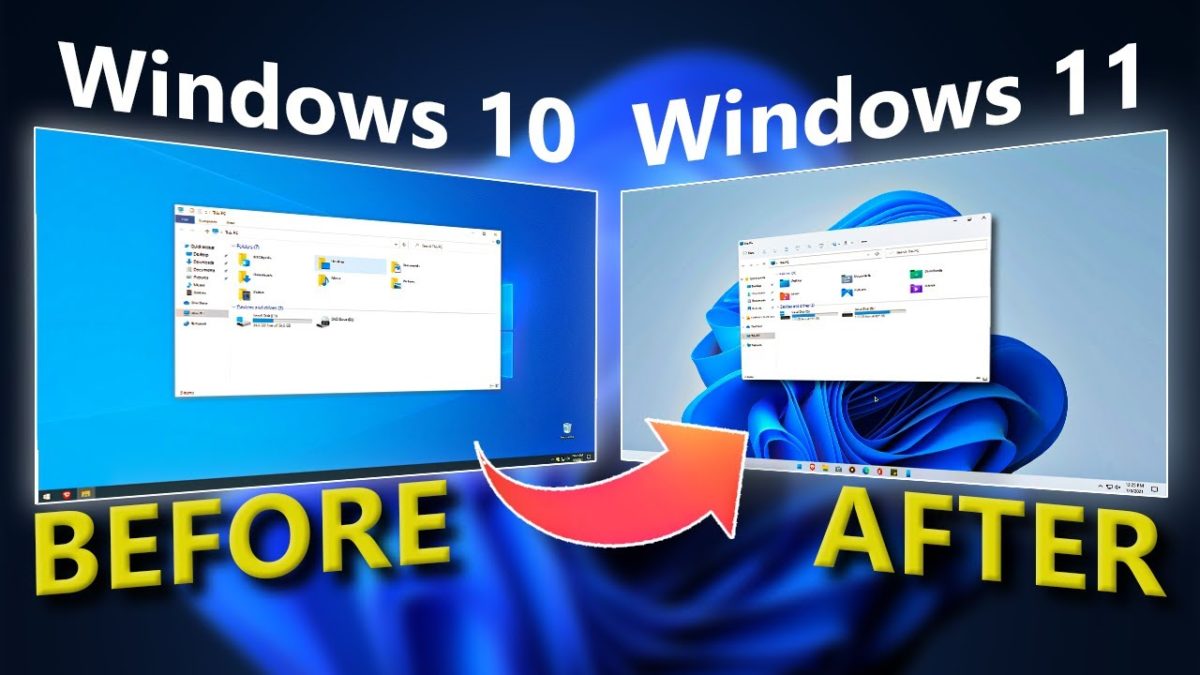
Grr, No wonder my laptop tells me “get ready for windows 11” or more updates with “your PC is not up to date for windows 11, let’s update now”. I turned off the check for updates last year and it still says there’re off but, it still updates anyway.
Windows 11 Must Be Stopped – A Veteran PC Repair Shop Owner’s Dire Warning – Jody Bruchon – YouTube
4 replies on “Windows 11 Must Be Stopped – A Veteran PC Repair Shop Owner’s Dire Warning”
Yeah, no …
You can believe me or not, I really don’t care but I’m a CSE, Certified Systems Engineer, a bonafide, accredited, certified computer geek who has spent the last 40 years working on IT systems in one way or another in one form or another. I got into computers after I sustained a life changing injury and had to choose a new, less physical career path. A big part of that career has been devoted to IT security. I know everything this guy knows, he does not know everything I know.
He lies, or I’ll give him the benefit of the doubt and just say he’s ignorant and speaks from a position of ignorance. This is very common among “computer repair shop” people. It’s sort of like when you go to a gun store and know more about guns than the guy behind the counter does and he tries to sell you a semi automatic bolt action single shot with a high capacity magazine. If you’re not an IT professional then I can see where you might be swayed by this convincing sounding but completely wrong advice. That kind of thing is all too common in the computer industry.
I’m semi-retired now but I still work in this field supporting various business clients that just did not want to hire someone else to take care of their computer systems. That is because it is so very, very hard to find someone who knows what they’re doing, will not blow smoke up their asses to make money rather than do what’s best for the client, and is dependable.
This person mentions UEFI BIOS (Basic Input/Output Systems) early on in the video. He’s wrong, UEFI BIOS has been around a lot longer than he says it has. I’m typing this on a machine I built myself in 2011. It’s had a lot of upgrades since then including a new (used but Very Good grade of used) motherboard just installed a couple months ago. The original motherboard, built and bought in 2011, had a UEFI BIOS. The board preceded the RTM (Release To Market) of Windows 8 by a year and a half and there were others already on the market for quite a while when I bought this one. What he said is just not so, whether by intentional deception or simple ignorance.
Anyone who would speak on this topic should know that. Or he should not present himself as an authority on the subject.
“UEFI” which stands for Unified Extensible Firmware Interface has been around, bootable and available to consumers since 2002. There’s nothing evil or nefarious about it, it’s an increase in functionality that was needed for newly developing computer systems.
Yet this Poindexter claims UEFI BIOS systems have only been around since 2012 when Windows 8 was released. That’s just not so. He qualifies that hogwash with a bunch of gobbledygook because if a BIOS isn’t in “bootable form” then it’s not a real thing. A computer with a motherboard that won’t boot is not a computer, it’s a clunky door stop. Likewise his “available to consumers” is nonsense because here I sit typing this on a machine with a UEFI BIOS that preceded his date by well over a year and a full Windows Operating System release. He’s doing something that’s been a standing joke in my field for decades …
“If you can’t dazzle ’em with brilliance then baffle ’em with bullshit.”
If you’re not an IT pro then that is a very, very easy thing to do. So everything I’m saying here is verifiable. I didn’t remember exactly when the UEFI BIOS was released to production so I spent about 3 seconds on Google and looked it up. Please do so yourself. Feel free to check the production premiere date on the motherboard I initially installed too. It’s an ASUS Sabertooth 990FX R1 board and another three seconds on a search engine will tell you when it hit the market.
I’m spending so much time on the BIOS thing because it’s proof this guy has no idea what he’s talking about. It’s not the only thing he got completely wrong but it’s one of the first things. The rest of what he said is just as uninformed.
TPM, the Trusted Platform Module, was introduced to counter security vulnerabilities. Among other threats there’s a thing called a “root kit” which is an attack on your computer that can happen and you never even know it’s been done. It loads its malicious software after the BIOS hands off to the Operating System (I.E. Windows) and BEFORE the Operating System begins the loading process. Then it “lives” on your computer without you even being aware it’s there.
Sound like something you want running on your computer? No? Believe me or don’t, it’s not.
Etc. This video is full of terrible advice. From a “computer repair shop owner” who maybe can fix a computer problem but he’s far from anything I would consider a pro.
You absolutely, positively MUST run any and all available updates for the operating system you’re using. Those updates are for three purposes and two of them are vital to your computer’s health and your online security.
The first and least important is for reason of performance enhancements. It makes your computer run better because between the time your OS was released and the time of the update the software engineers have found a way to do something better, faster, or in a more stable manner.
The next is bug fixes. The creator of the OS has found bugs in the millions of lines of code in your OS and has released a “patch” to fix them. This is vital to your machine working correctly. Because …
Microsoft OS’s are full of bugs. (So, by the way, are all other OS’s, don’t feel special if you’re not running Windows.) When Windows Millenium was released it had over 45,000 KNOWN bugs. They released it anyway. The good news is that only 20,000 or so of those known bugs were system critical. Meaning they would kill your computer. Yes, I’m being sarcastic, it’s not good news at all.
Remember the old days when Windows 95/98 or Windows Millenium would crash or lock up several times a day and there was nothing you could do but reboot and lose whatever work you hadn’t saved yet? Yeah, system critical bugs.
Patches fix that kind of problem. They also modernize the code in the OS to account for hardware and software program changes since the OS was released.
The third and most critical update is security patches. All over the world people are trying to break into Windows because it’s the most common by far, and therefore most profitable, to attack. Some of those people are “White Hats”, good guys doing penetration and vulnerability testing in order to discover problems with the OS. Most of them are “Black Hats”, computer “hackers” that want to steal from you or use your computer for their own purposes. Like running BotNets for DDOS attacks or storing kiddie porn in locked, encrypted files that only they can get into. And thanks to root kits you will never know they’re doing it.
Do you know how to detect that kind of thing? If not, you had better be doing a secure boot and running a TPM. Egbert here forgot to mention all that in his video.
Don’t delude yourself that we’re only talking about Windows here either. Mac and Linux OS’s have the same problems. If you think you don’t need antivirus and antimalware software because you’re running a Mac computer … You very likely already have a nice friendly root kit wrapped around your Operating System. The odds are good you’re storing and serving something illegal too.
This is one of the reasons, and there are others, that people experience a marked slowdown in their computers as they get older. I’m running the same machine I built over a decade ago and it’s still just as fast, which is very fast, as it ever was. I don’t have any rootkits or other malware choking the system and stealing performance.
So everyone, please, please keep your OS patched and updated. Microsoft releases updates on the second Tuesday of every month. We in the business refer to it as “Patch Tuesday”. If they release an update OOB (Out Of Band, not on Patch Tuesday) it’s because they discovered a new, serious threat that won’t wait for next month’s Patch Tuesday.
All of that said, I do not “upgrade” my OS from one version to another the moment it becomes available. IE from Windows 7 to Windows 8, or Windows 10 to Windows 11.
Back before Windows 10 the reason for that was that a new OS has even more bugs in it than a mature one. So I would always wait at least until Microsoft released a Service Pack for the OS I was running and often I wouldn’t upgrade the OS until it went “end of life”. I ran Windows 7 right up to end of life and then upgraded to Windows 10, which by that time was a mature OS with several Service Pack releases. (Now they call “service pack” a “feature update” but it’s the same thing only moreso.) I skipped Windows 8 completely, it had a lot of problems not the least of which was that stupid live tile interface with no Start Button.
I also skipped Windows Vista and went right from Windows 2000 Pro to Windows 7.
So I’m not saying to rush out and get the newest OS the moment it becomes available. I’m saying keep up on the patches and updates on the OS you’re currently using.
I probably won’t go to Windows 11 for quite a while yet. Maybe for years.
So why is Microsoft pushing a Windows 11 upgrade in Windows Update?
Because sometime around or before Windows Vista Microsoft changed its policy on bug fixes prior to RTM (Release To Market). It used to be they would test a new OS with every possible combination of hardware and software they could get their hands on. This process could take months or even a year or more. To be fair, it’s an impossible task because computers are so variable and dynamic in their hardware and software that there’s just no way to test every possible permutation.
So Microsoft adopted a policy of “close enough is good enough” and cut way back on pre-release testing. They began releasing Operating Systems that phoned home to report problems. Which Microsoft would then fix and release a patch or an update for.
This is what a lot of people think is Microsoft “spying” on them. They’re not, they do but not like this. I’ve watched the traffic over Wire Shark and I don’t see anything nefarious about this particular aspect except …
They’re selling you an unfinished, unpolished, known-to-be-buggy Operating System and letting YOU Beta Test it for them.
I could say a lot more but I’ve already said an awful lot. I’ll be happy to discuss this with anyone who is interested. I’ll end this with …
The guy in this video is the computer equivalent to Q Anon. Maybe you like Q Anon, I don’t. I’m a conservative not a nut, I have to see actual evidence before I’ll believe something and the more fantastic the claim the more evidence I need to see. Q Anon does not meet that bar, I want nothing to do with them. This guy does not pass the sniff test with his advice. You need to bear in mind that for everything you “want” to hear, there’s someone on YouTube willing to tell you what an amazing genius you are for having “suspicions”. Confirmation bias can be a terrible thing and it’s driven hard on YouTube.
One of the things that brought me here to BillWhittle.com is confirmation bias. I’ve been watching Bill Whittle’s work for a long time. I’ve been watching for them very closely and I have yet to catch Bill and Co. in anything like the lies and/or errors that this computer shop owner put in his video. If they’re not as credible as Bill Whittle, Scott Ott and Steven Green then you should really be skeptical of what they have to tell you.
I knew I could count on you ACTS (TM), thank you for this valuable information! I’ll take your advice and I’m going to copy, paste, and print this 411 out for future references.
You are very welcome. If someone posts a video, like you did, about computer related stuff — I’m probably going to watch it to see what’s up. That doesn’t mean I always have time to post a comment and go into details. I’ll probably get to that eventually because this kind of stuff just galls me to no end and … I want to be sure my fellow Bill Whittlians get the the real, straight scoop and don’t get deceived by this sort of thing.
There’s a thing in Windows Update that allows you to turn off the Windows 11 nag. I clicked that the first day it became available. I will eventually do that upgrade, maybe not for quite a while yet, but it will be when I decide to, not when Microsoft decides it wants me to.
I’ve been working on my customer’s systems which are brand new and came with Windows 11. So far I’m not impressed a lot. It is very buggy and that is not surprising at all. In fact, just the opposite. I’d be surprised as hell if it didn’t have any obvious bugs at all.
Thanks, ACTS. Well put. All of it. So helpful.
Do the updates, everyone, for all the reasons ACTS listed.